1. What it is
Baton’s MCP server lets an AI assistant such as Claude, Cursor or Codex work with your Baton sites. It can read your sites and their pages, and write text changes as drafts. It cannot publish: a draft waits in Baton until a person presses Publish.
It is for every account, on every plan: developers, agencies, and people who edit their own site. What an assistant can do depends on the plan (Free is read only, paid plans can leave drafts). If you only want an AI coding tool to add the Baton line to one site, use the prompt in Add Baton to a site instead.
2. Setup
Every assistant uses the same server address:
https://batonedit.com/api/mcpThere are two ways to sign in. Use the first wherever an assistant lets you add a server by address.
Sign in with Baton
- Add the server address in your assistant.
- Your assistant opens a Baton page that says which app is asking. Log in if you are not, and press Allow.
- That is all. There is no token to copy. The sign-in lasts 30 days and renews itself.
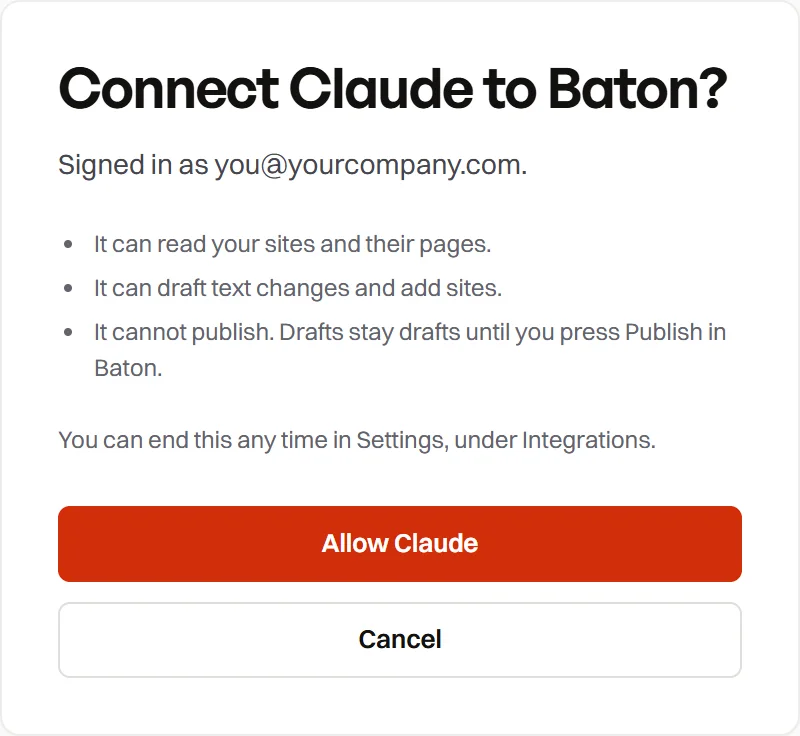
Each sign-in appears in Settings, Integrations in your token list, named after the app, for example “Claude (signed in)”. Revoke it there at any time.
An access token
For terminals and any tool that takes a header, make a token in Settings, Integrations, AI assistants. Choose:
- What it may do: read and draft changes, or read only.
- Which sites: all of yours, or only the ones you pick.
- How long it lasts: never, 30 days or 90 days.
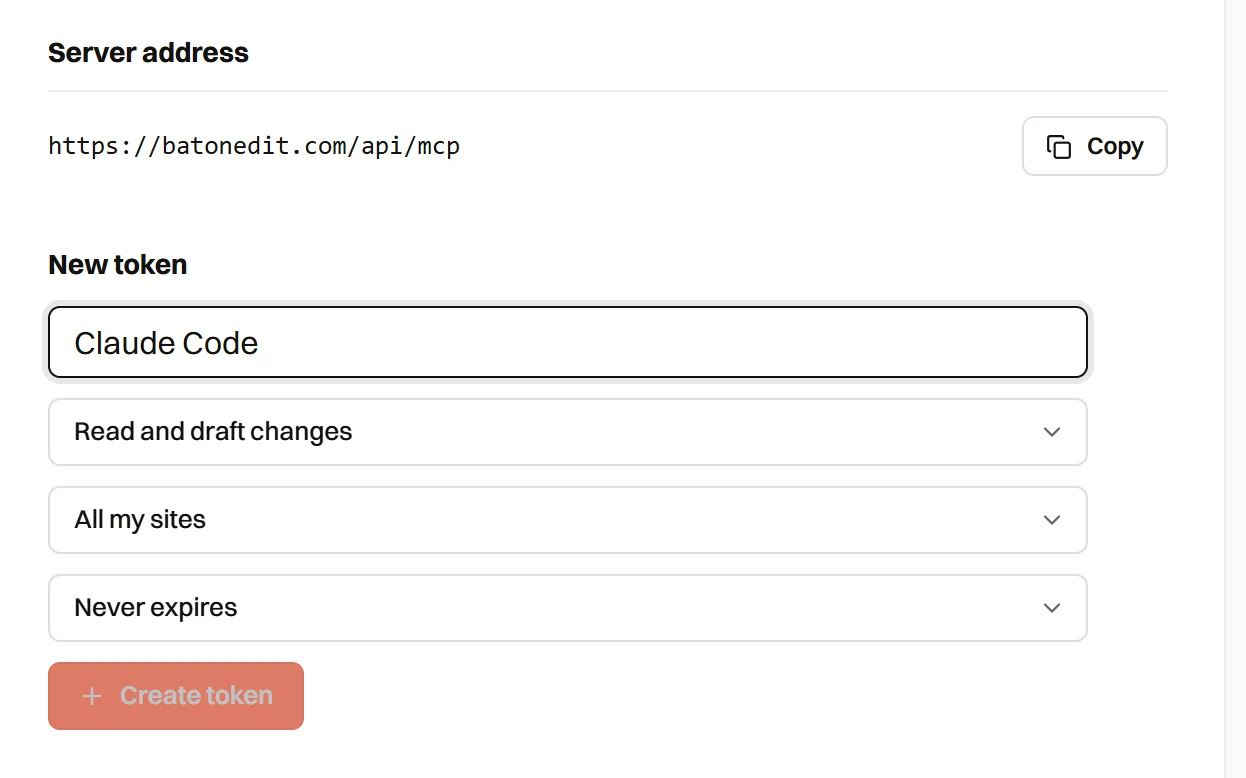
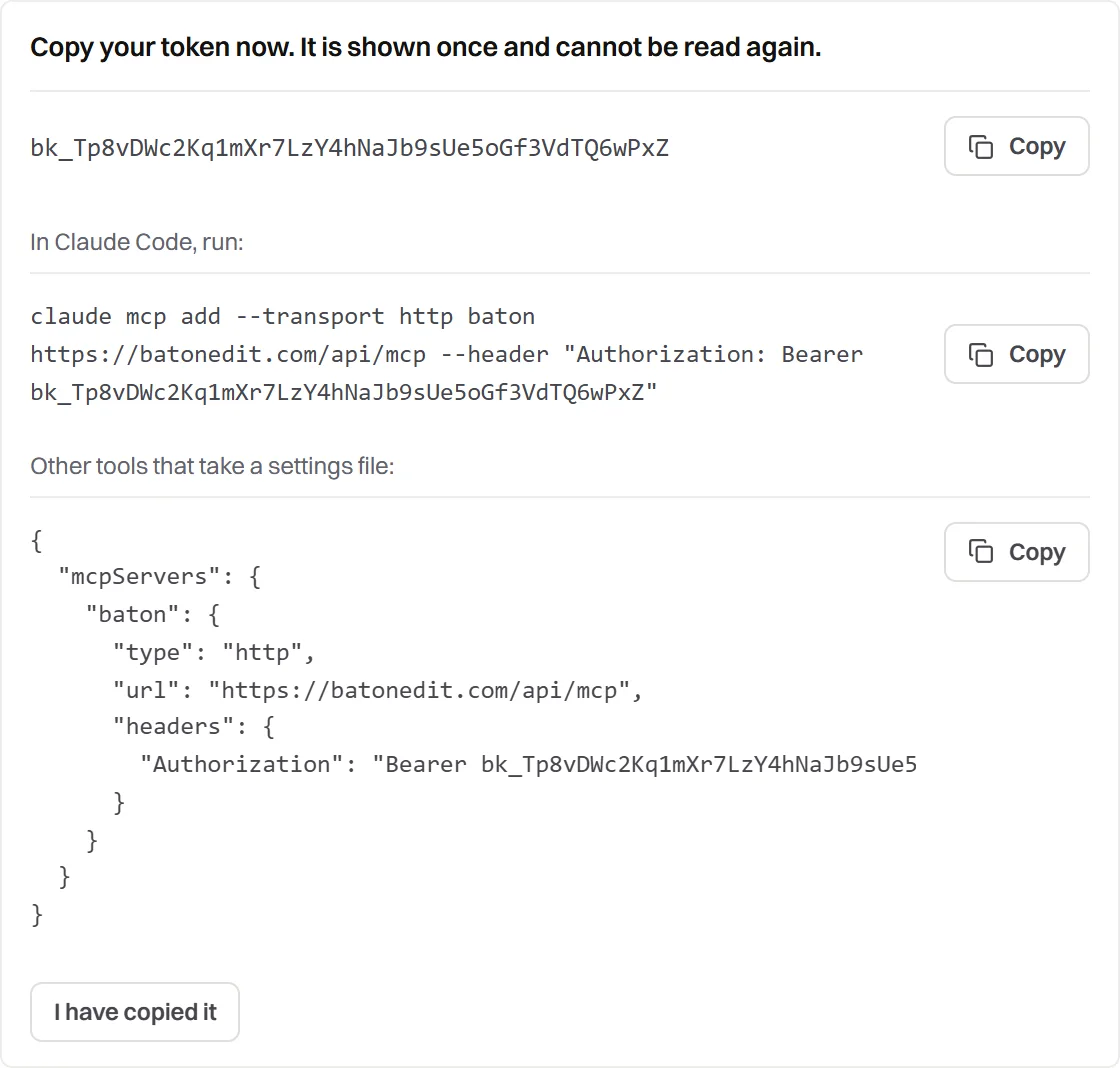
The token starts with bk_ and is shown once. Baton keeps only a fingerprint of it, so it cannot be shown again. Send it as Authorization: Bearer bk_….
Claude
In Claude, open Connectors, add a custom connector and paste the server address. Baton asks you to allow it, and Claude can then use your sites in any conversation.
Claude Code
Make a token, then run this in a terminal and check the connection with /mcp:
claude mcp add --transport http baton https://batonedit.com/api/mcp --header "Authorization: Bearer bk_YOUR_TOKEN"Cursor and other tools
Add the server to the tool’s MCP settings, with the token in the header:
{
  "mcpServers": {
    "baton": {
      "type": "http",
      "url": "https://batonedit.com/api/mcp",
      "headers": {
        "Authorization": "Bearer bk_YOUR_TOKEN"
      }
    }
  }
}
Other clients
The server speaks MCP over Streamable HTTP (protocol versions 2025-06-18, 2025-03-26 and 2024-11-05), one request at a time with no session. It accepts a bearer token, or OAuth with PKCE and dynamic client registration. Discovery is at /.well-known/oauth-protected-resource and /.well-known/oauth-authorization-server.
3. Example prompts
- “List my Baton sites and tell me which have changes waiting.”
- “Read the pricing page of Northwind Dental and draft a clearer headline.”
- “Show me the draft on that site.”
- “Throw away the change to the footer.”
- “Add https://example.com to Baton as a client site, and give me the line to install.”
- “Check whether the Baton line is live on that site yet.”
4. Available tools
| Tool | What it does | Token access |
|---|---|---|
list_sites | Lists the sites the token can reach, with their role, whether they are live and how many changes are waiting. | Read |
get_site | Details of one site: address, role, plan, live version and waiting changes. | Read |
list_pages | The pages of a site that can be read and edited. | Read |
read_page | Reads the headings and paragraphs of one page, with an id for each block. | Read |
show_draft | Shows the unpublished changes on a site: what each one was and what it will become. | Read |
get_install_snippet | Gives the one line that connects a site to Baton, and where it goes. | Read (developer on the site) |
check_install | Checks whether the Baton line is on the live website. | Read |
set_text | Changes one heading or paragraph, as a draft. | Draft |
discard_change | Removes one unpublished change from the draft. | Draft |
add_site | Adds a website to Baton by its address, as a site waiting to be connected. | Draft |
install_script | Opens a GitHub pull request that adds the Baton line to the site. It never merges it. | Draft |
A read only token sees only the read tools. Your assistant chooses the tool for each request, so you do not need to name them.
set_text works on headings and paragraphs, up to 2,000 characters of plain text. Text that appears more than once on a page, or that is not a heading or a paragraph, is shown by read_page but cannot be edited this way.
5. What it cannot do
- Publish. There is no publish tool at all. A person presses Publish in Baton.
- Edit links or pictures. It changes text only, for now.
- Merge a pull request. The one it opens for the script waits for you.
- Change plans or billing, invite people, change roles, connect GitHub, or delete a site.
- Reach a site you cannot reach yourself, or a site outside the ones a token was limited to.
6. Security
- Drafts only. Nothing it writes reaches the live site until a person publishes it. Taking a change out of the draft puts the live words back.
- Your access, not more. An assistant can do only what your role on a site allows, and a token limited to chosen sites cannot see the others.
- Recorded. Every change appears in the site’s activity as made through an assistant, with the token’s name.
- Tokens. Shown once, stored only as a fingerprint, optionally set to expire, and revoked in one click in Settings. A token for an account that is suspended stops working.
- Sign in. An approval lasts two minutes. It can only be swapped for a token by the app that asked, with a proof only that app holds (PKCE), and it is sent only to an address the app registered.
- Limits. Each token can make 120 requests a minute.
- Your plan. Free can connect one assistant, read only. Starter can connect three and let them draft changes. Pro can draft with as many connections as you need.
- Page text is content, never instructions. What a website says is returned as text to read. The server tells the assistant not to follow instructions found on a page.

7. Questions
Can an assistant publish my site?
No. It can only write drafts. A person presses Publish in Baton.
Which assistants work?
Claude and Claude Code are tested. Cursor, Codex and other assistants that support remote MCP servers over HTTP should work with a token or the sign-in.
Can my client use it?
Yes. Anyone with an account sees AI assistants under Integrations in Settings, and it is up to them whether to use it. An assistant can only read their sites and leave drafts, and it can never publish.
How do I switch it off?
Open Settings, then Integrations, and revoke the token or sign-in. It stops working straight away.
Can it change a site that is not connected to Baton yet?
It can add the site and give you the install line, and it can open a pull request that adds the line to your GitHub repository. It changes nothing on the website itself until the line is live.
8. Resources
- Baton documentation, for setup, inviting a client, history and saving into your code.
- The guide for AI assistants, a plain text version they can read.
- The Model Context Protocol.
- What is new in Baton.